Brand Abuse Detection: Types, Examples and How to Spot It

- Brand abuse is any unauthorised use of your name, logo, products or identity that misleads customers, and it is wider than counterfeiting.
- There are six main types: fake listings, unauthorised resellers, lookalike domains, impersonator accounts, rogue apps and misleading ads.
- A regular manual routine catches some of it, but continuous monitoring catches what appears between checks.
- Capture dated evidence first, then report through the route that fits each type.
Most brands find out about brand abuse the same way: a customer emails a screenshot. By then the fake listing has sales, the lookalike site has taken payments, or the impersonator account has been messaging people for weeks. Detection is the part that decides how much damage is done, and it starts with knowing what you are looking for.
This guide sets out the six main types of brand abuse, what each looks like in practice, where it appears and how to spot it. For the definition, see our glossary entry on online brand abuse.
What counts as brand abuse
Brand abuse is any unauthorised use of your name, logo, products or identity that misleads customers or takes value from you. It is wider than counterfeiting. A genuine product sold by an unapproved seller, a fake recruiter using your name and an ad that sends people to a copycat shop are all brand abuse, and each needs a different response.
Six types of brand abuse
| Type | What it looks like | Where it appears |
|---|---|---|
| Counterfeit and fake listings | Fake products sold as genuine, often with your photos | Marketplaces and social shops |
| Unauthorised resellers | Genuine goods sold without your permission, or outside agreed terms | Marketplaces and resale platforms |
| Lookalike and phishing domains | A near-identical web address that copies your site or login page | Websites, email links, search results |
| Impersonator accounts | Profiles posing as your brand, staff or support team | Social media, job boards, messaging apps |
| Rogue and cloned apps | Apps using your name and logo, or copying your app | App stores and download sites |
| Fake and misleading ads | Ads using your name, logo or product images that lead to a copycat shop or form | Search and social ads |
Counterfeit and fake listings
The most common type for product brands. The response differs depending on whether the item is a counterfeit, a fake listing or a grey-market product; see counterfeit vs fake listing vs grey-market goods.
Unauthorised resellers
The goods may be genuine, so a takedown is often the wrong tool. Finding and responding to unauthorised sellers covers the options.
Lookalike and phishing domains
One published case followed 705 fraudulent domains aimed at a single beauty brand, registered in under three weeks. Some were already used in employment scams. Read the case.
Impersonator accounts
Fake recruiters posing as a company’s HR team, as GitLab warned in December 2025. It is the same pattern as domain phishing, run through LinkedIn and job boards. Read the case.
Rogue and cloned apps
Copies reach app stores under your name and logo. How rogue apps and app cloning work.
Fake and misleading ads
One scam network ran AI-generated GLP-1 ads, fake storefronts and counterfeit listings under a single real brand’s name. Read the case.
How to spot brand abuse
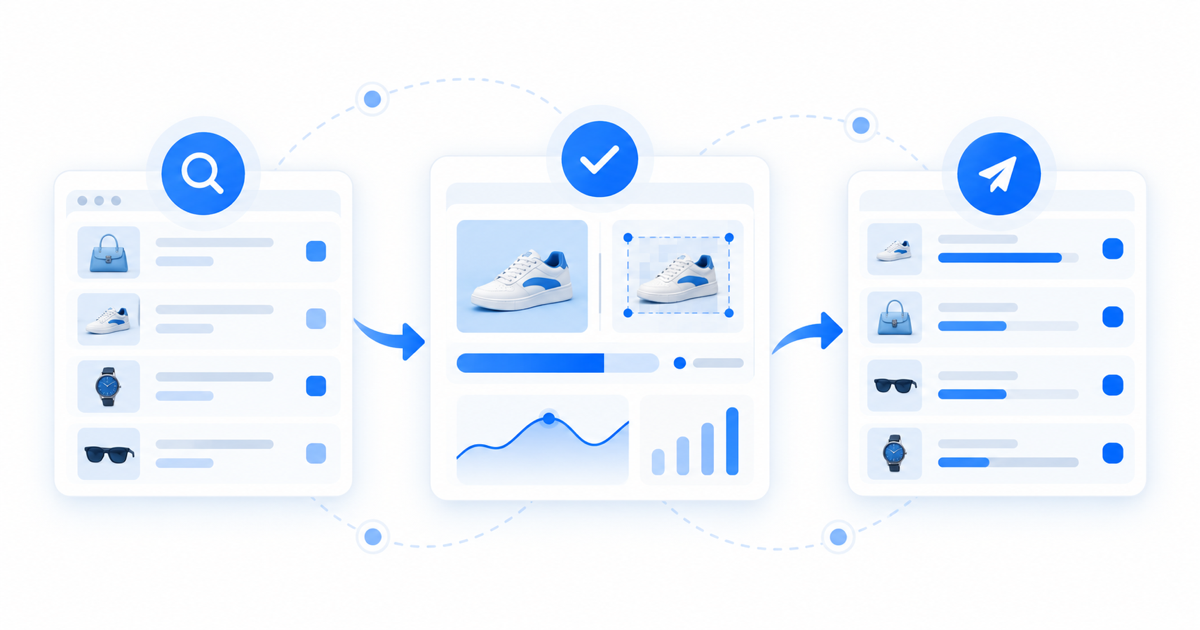
You can catch a lot with a regular manual routine, as long as it is regular. A weekly pass should cover:
- A search for your brand name plus words like “official”, “discount”, “outlet” and “login”, and for your top product names
- Your main marketplaces, searched by product name, SKU and your product photos
- Newly registered domains close to yours, including other endings and common misspellings
- Social platforms searched for your brand name and your executives’ names
- App stores searched for your app name and brand
- The ads library of the main social platforms for your brand name
Manual checks have limits. They cover the places you remember to look, they miss what is posted between checks, and they do not scale across many markets and products. Continuous monitoring scans these channels around the clock, compares what it finds against your real catalogue and assets, and raises only verified matches. The comparison step is the one that keeps genuine resellers and partners from being flagged as abusers.
What to do when you find it
The route depends on the type.
- Listings: report through the marketplace’s own trademark or IP form, with dated evidence. Takedown request templates give you ready-to-use wording.
- Unauthorised resellers: check your distribution terms first; the response is often a letter or a commercial conversation.
- Domains and websites: report to the host or registrar. How to take down a copycat website shows how to find them.
- Accounts, apps and ads: use each platform’s impersonation or trademark route, and keep every case in one record.
Whatever the type, capture evidence before you report, because the content often disappears once the abuser is alerted. If a first request fails, what to do when a DMCA takedown fails covers next steps.
Measuring detection
Track a few simple numbers each month: new cases found, how many were verified, how long each took from detection to removal, and how many came back. Detection speed and repeat offenders tell you more than a raw count. For turning these into a case finance will accept, see how to prove brand protection ROI.
When manual detection stops working
If you sell across several marketplaces or markets, or you see the same abusers return, manual checks stop keeping up. That is the point to move to monitoring. Truviss scans marketplaces, domains, social media, apps and ads, verifies findings against your catalogue and keeps each case’s evidence together. See brand protection strategies for e-commerce teams for how teams phase this in.
Frequently asked questions
What is brand abuse?
What are the main types of brand abuse?
How do you detect brand abuse?
Is brand abuse the same as counterfeiting?
What should you do first when you find brand abuse?
Can brand abuse be stopped completely?
Mithileshkumar leads growth at Truviss, working every day to make sure the brands losing the most to counterfeits, fraud and digital impersonation are the ones who find out about a fix first. He’s spent his career believing that good marketing isn’t about noise, it’s about showing up right when someone needs the answer. Off the clock, he’s usually chasing the same instinct in something entirely unrelated to work.
More from Mithileshkumar R NaikRelated reading
Fake Google Ads for Your Brand: How to Spot and Report Them
How to spot fake Google ads that use your brand name, what evidence to capture and how to report them to Google and to the host o…
Takedown Request Templates: Copy-Paste Notices for 5 Targets
Copy-paste takedown request templates for a marketplace listing, website host, domain registrar, social post and app store, with…
How to Take Down a Copycat Website: A Guide
A step-by-step guide to removing a copycat website: evidence, WHOIS lookup, hosting and registrar reports, DMCA, and when to esca…